
Overview
I built Blackout Zone to show my cinematic UI, motion, and automation skills, and it helped me get my next job.
It's a fictional control-room interface for a coastal wind-power station, pushed into a blackout event. I wrote the brief myself, built around bringing UI design and motion together in one project.
I designed the UI system in Figma, then animated it in After Effects, using JavaScript expressions to simulate the system responding in real time.
The result is a 35-second cinematic sequence showing the full system escalating from normal operation to blackout.
Creative Direction
I leaned into technical and cinematic fiction: a dark theme, sharp geometry, layered panels, alert messages, and live-feeling charts. I used motion to tell a story about urgency and escalation, and made the transitions to feel functional first, cinematic second.
The finished interface, staged as it would appear in a real control room
Scope
The system centers on three main dashboards: Turbine status overview, Energy distribution and Turbine alert state. Additionally, I created supporting states and assets that connect them: live alerts, CCTV feeds, and transitions between views.
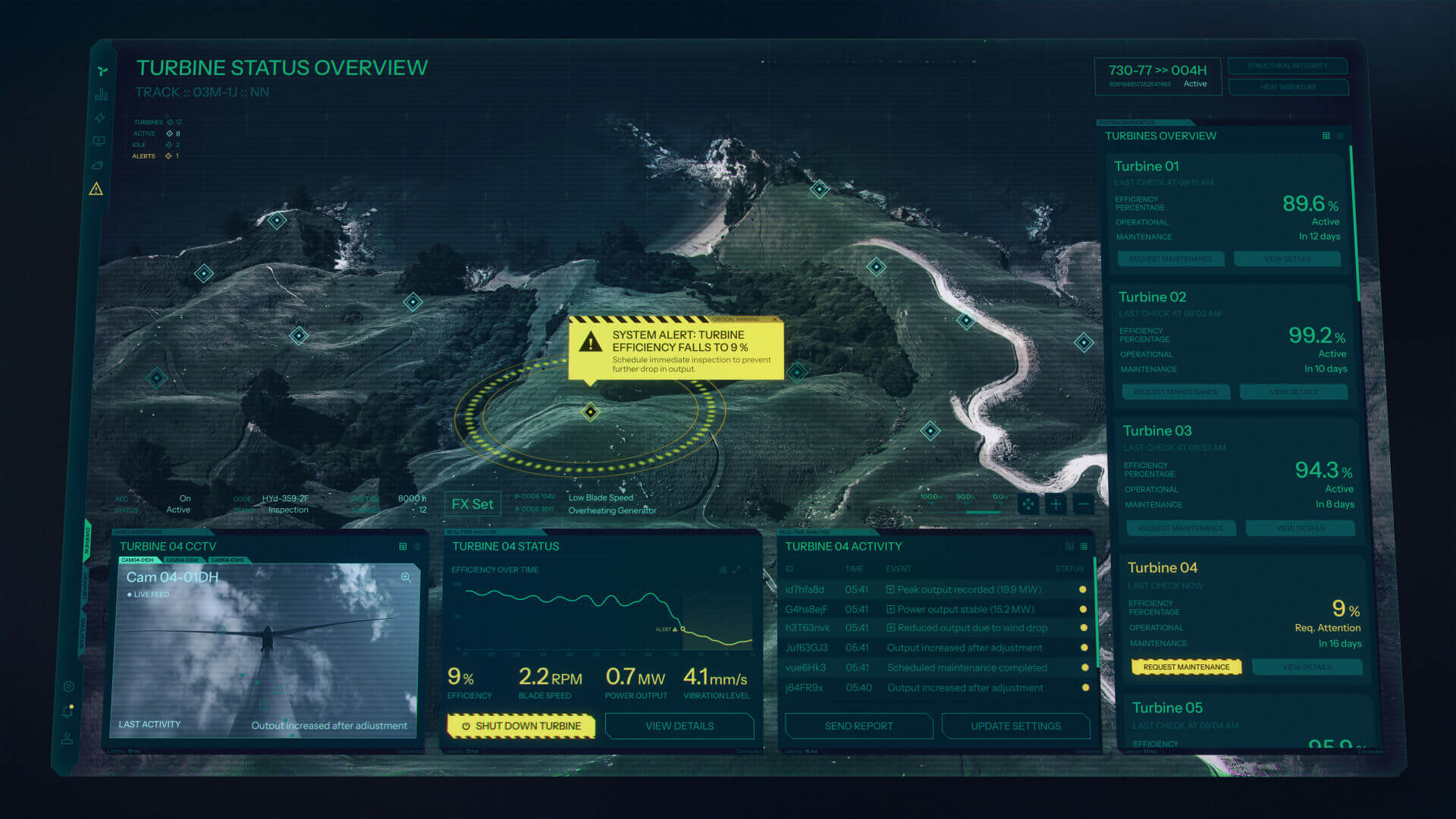
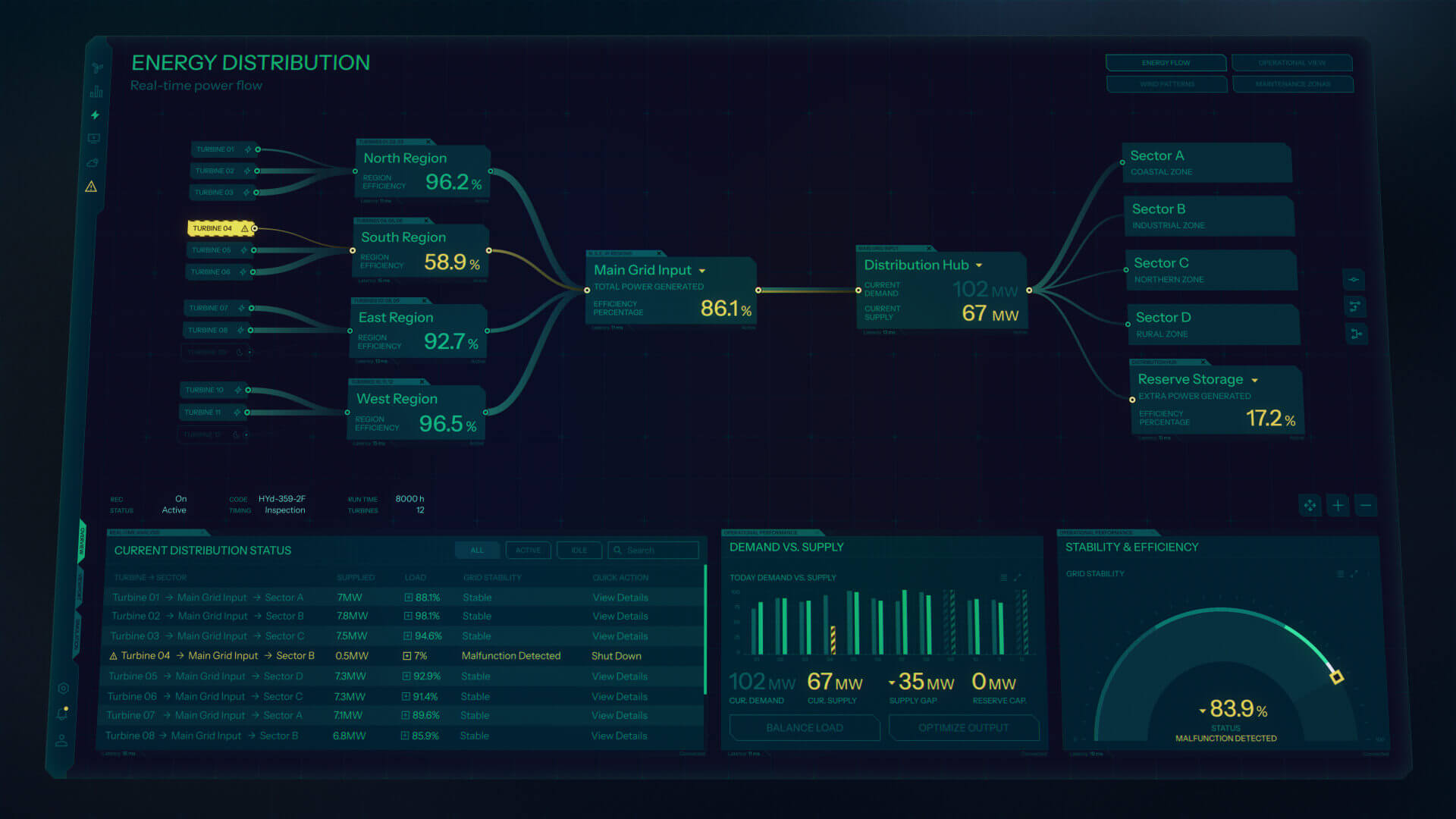
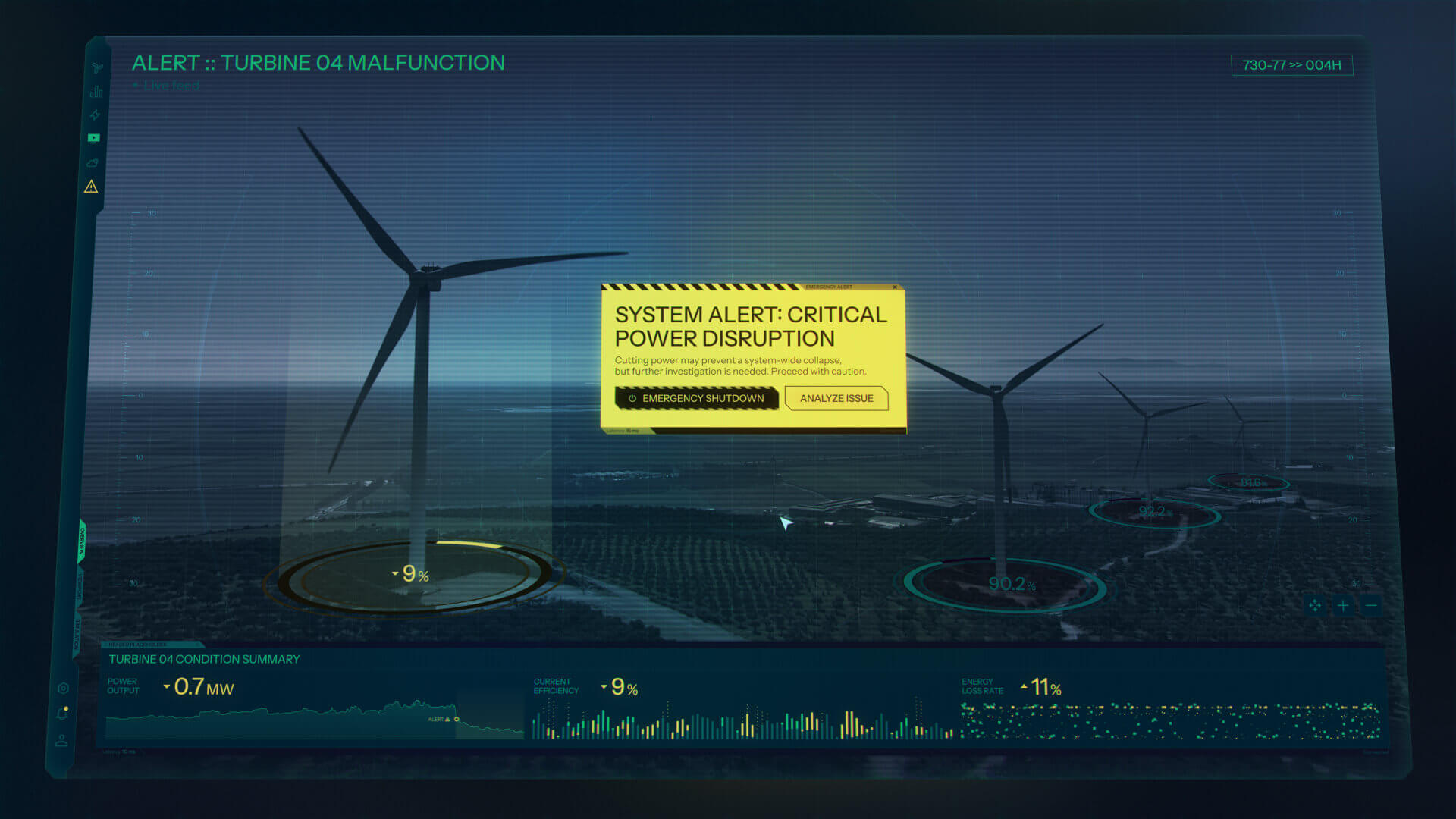
Three core dashboards before animation
Turbine status overview: live map, turbine list, camera feed and charts in one screen
System alert and live camera feed details
Energy distribution: real-time power flow from regional inputs to the grid hub
Distribution network details
Turbine alert state: a malfunction flagged on Turbine 04
Energy distribution alert transition
System & Process
I built the UI system in Figma that included reusable components, variables, and consistent rules, the same way I'd approach a real product. I used JavaScript expressions in After Effects to centralize control over the interface: swapping states, driving alerts, and simulating real-time system behavior with timeline markers instead of keyframing every change by hand.
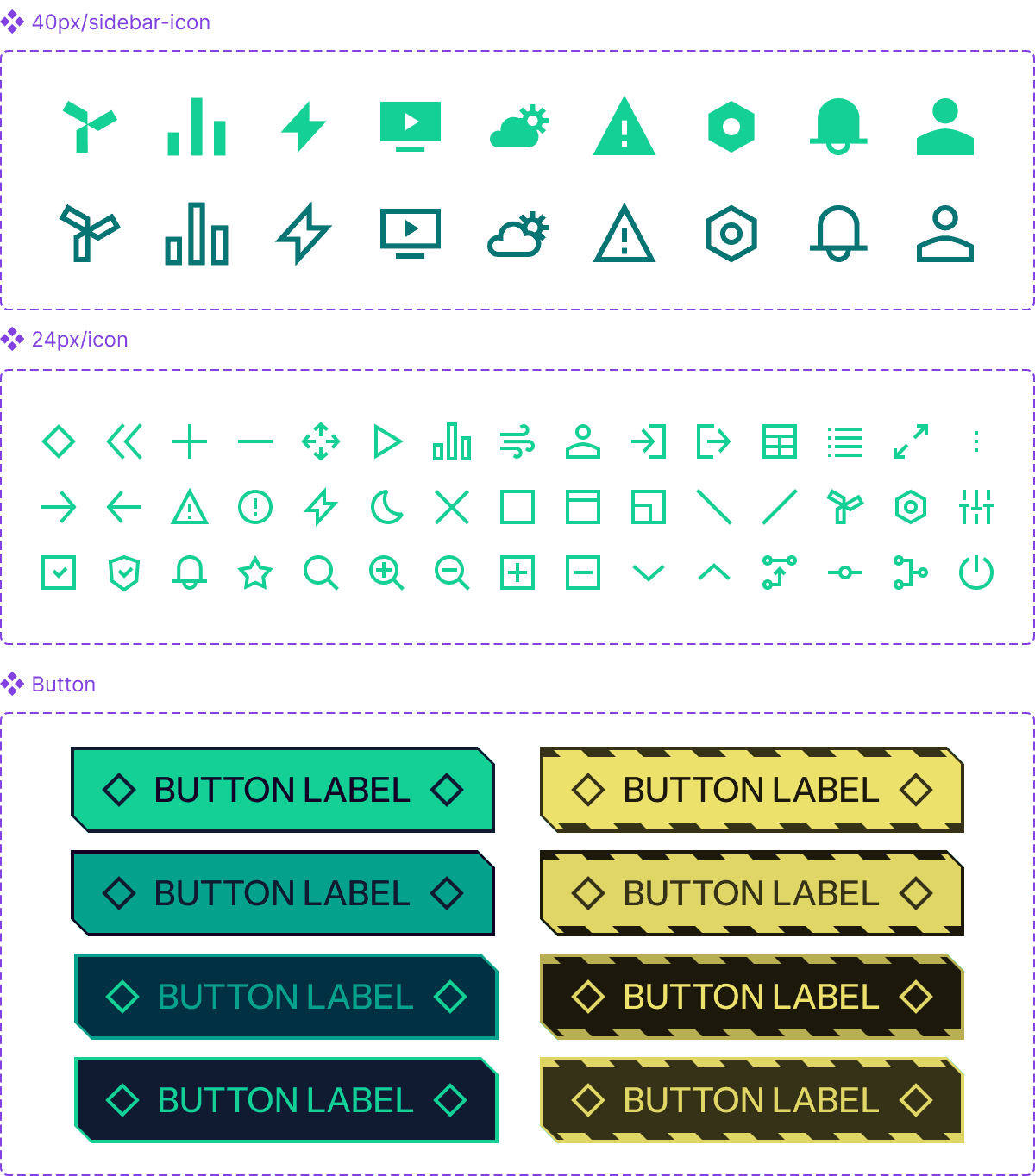
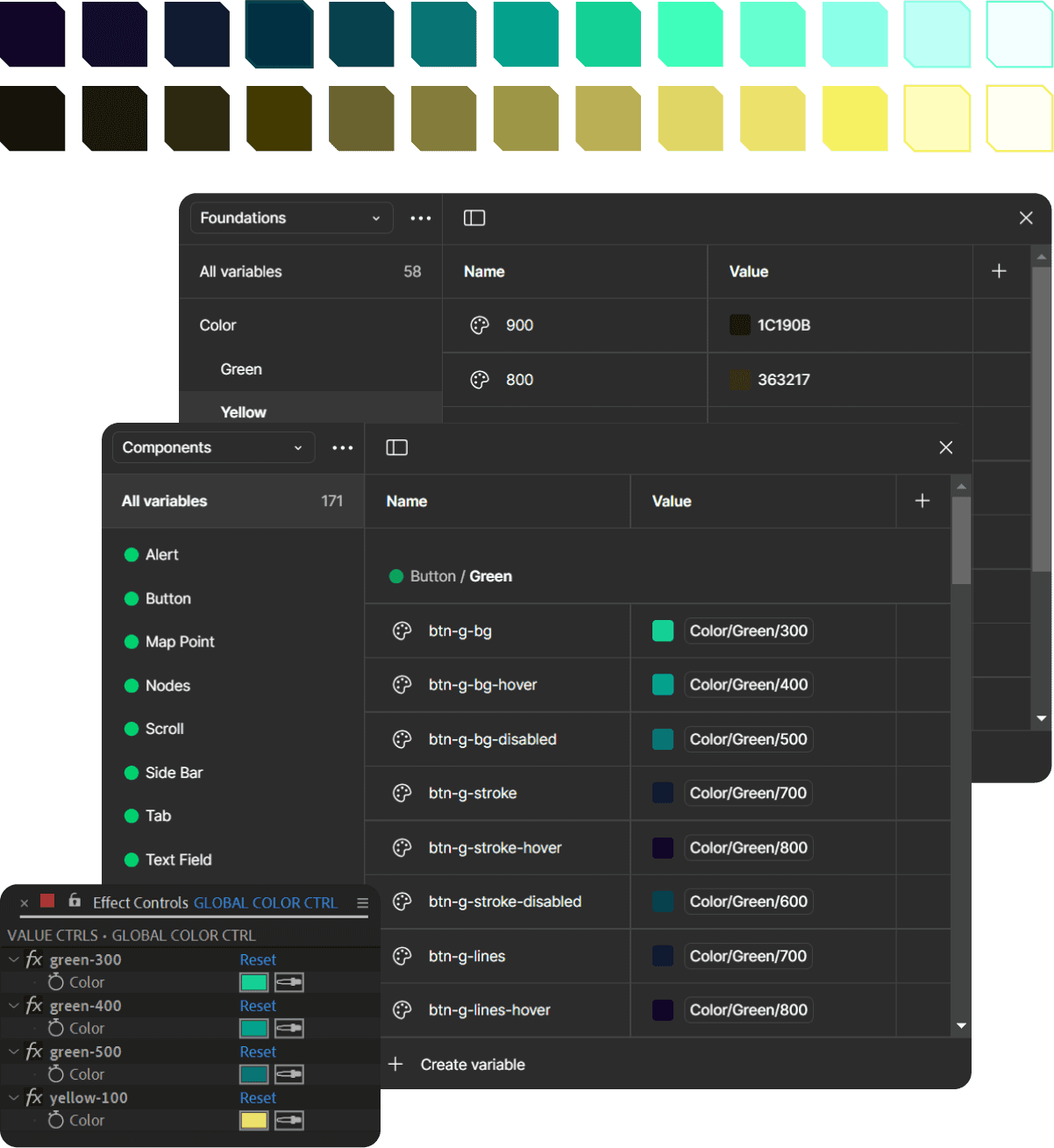
Some of the components, variables and controllers reused across every screen to keep the system consistent
That setup meant I could iterate fast — adjusting timing and escalation across the whole sequence from a handful of controls, rather than touching every layer individually. It's the same principle behind the expression-driven work I do on Kings League, just applied to a story I built from scratch.
What I took from it
Writing my own brief meant I had to be my own client and decide what "realistic" meant and when a system was done. And it did exactly what I built it for: it got me my next job.

